"I built a form so readers could ask to be notified about new posts — but where does the list of everyone who signed up actually go?" That question nagged at me until I built a system that automatically adds everyone who signs up to a reader list in Brevo. I left the working SSGform form untouched and simply added a second route alongside it, via Make; the whole thing took about one or two hours. I'm not an engineer, so I put it together with an AI agent (Claude Code), showing it my screen and asking one question at a time. Here is the record, in case it helps anyone running a similar setup.
The problem I was stuck with
This blog has a "Notify me about new posts" form. Enter your name and email, hit submit, and you get a thank-you email plus a redirect to a thank-you page — that part has worked for a while now, thanks to an external service called SSGform.
But SSGform is really just "the thing that receives form submissions." It doesn't keep a running list of everyone's email address so I can later send out a "new article is up!" announcement to all of them at once.
In other words, the form was working fine, but nobody's information was actually piling up anywhere useful.
The big picture: bridging three services
Here's what I ended up using:
- SSGform — the existing form handler (thank-you email, redirect page). Left completely untouched.
- Make — an automation tool that bridges different web services together (the star of this story)
- Brevo — an email marketing / contact list service (where the list actually accumulates)
Roughly, it looks like this:
Reader submits the form
   ├─→ Goes to SSGform as before (thank-you email & page, unchanged)
   └─→ Also sent to a Make Webhook at the same time
              └─→ Make tells Brevo: "add this person to the list"
The key idea: don't touch the working SSGform flow at all — just add a brand new path running alongside it. Being able to bolt on a feature without risking what already works is a huge relief.

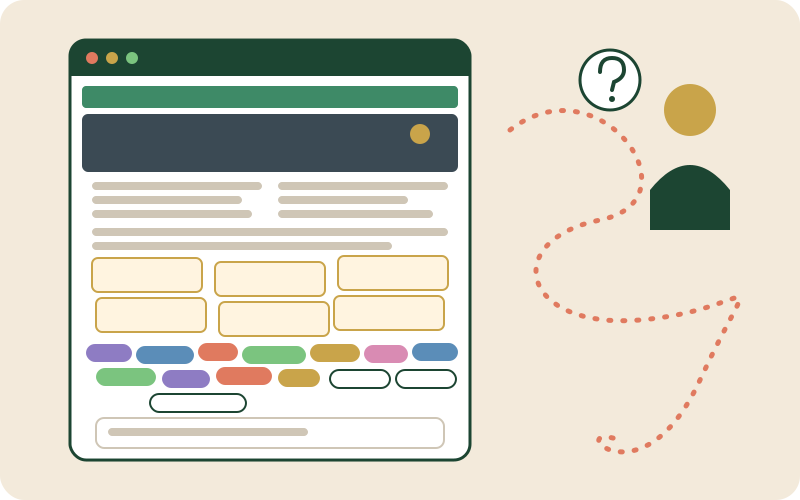
This illustration imagines a form signup flowing automatically through Make into a Brevo reader list.
What I actually did
1. Set up a list in Brevo
Logged into Brevo, created a new contact list, and generated an API key so an outside service (Make) would be allowed to add contacts to it.
2. Built a scenario in Make
In Make, I created a new "scenario" with just two blocks:
- A Webhook — basically a mailbox that receives data sent from outside
- A Brevo "Create a Contact" block right after it, configured to take the name and email it receives and add that person to the Brevo list
Only two blocks. It felt less like programming and more like connecting boxes with lines on a diagram — refreshingly approachable.
3. A small tweak to the form
This is the part I handed to the AI agent. At the moment the form is submitted, in addition to the existing SSGform submission, a few extra lines of code now also send the same data to Make's webhook.
One detail mattered more than I expected: a browser feature called navigator.sendBeacon. Right after submission, the browser immediately starts navigating to SSGform's page, and a normal request to Make could get cut off mid-flight during that navigation. sendBeacon is specifically designed to keep sending in the background even as the page is leaving — exactly the situation I was in.
Where I got stuck: handling "the same person twice"
Everything seemed to be working, until the Make scenario suddenly shut itself down with an error.
Digging into it, the cause was: when someone submitted the form again with an email address that was already in Brevo, the "create new contact" setup I'd built only knew how to create — not update — so it errored out.
Makes sense in hindsight — if the same person signs up twice, the sensible behavior is "update their info," not "throw a duplicate error." Brevo's block had an option to allow updating an existing contact instead, so flipping that on fixed it.
It's a small thing, but if I hadn't caught it, I'd have been baffled by "the first signup works fine, but somehow every signup after that fails."
How it felt
The whole thing took about one or two hours. I didn't write any code myself — I just looked at the screen, asked the AI agent "what do I click here?", and followed along.
There were moments where I had no idea what a button in Make actually did, or where an error message came from, but being able to share a screenshot and get help pinpointing the cause made a real difference.
Now, every reader who fills out the form gets properly added to a list in Brevo. Right now it's just "the list exists" — eventually, I'd like to use it to send out new-article notifications (at the time of writing; automatic delivery began in September 2026).
Checklist: what I did, step by step
- ✅ Created a contact list in Brevo and generated an API key
- ✅ Built a Make scenario: Webhook → Brevo "Create a Contact"
- ✅ Updated the form so it also sends data to Make's webhook alongside SSGform (using sendBeacon)
- ✅ Found and fixed a duplicate-email error by enabling "update if exists"
- ✅ Confirmed it works correctly from both the Japanese and English forms
- ⬜ Actually sending new-article notifications to the list
If you're also using a static form service like SSGform and wishing the submissions turned into an actual mailing list, hopefully this helps.
Other books you might like
You're welcome to take a look.
EAST TO WEST: The Heart of Haiku, the Light of Scripture
A quiet essay moving between the language of haiku and the light of Scripture. This is a book my father-in-law left behind.
View on AmazonCataract Surgery-A Memoir: Double cataract surgery in Osaka, Japan
Another new experience at 66 — an honest account of the cataract surgery I went through.
View on AmazonSushi Business in Britain: the complete four-volume series
A novel series following thirty-five years in the British sushi trade, from apprentice to factory manager to a small sushi school. The complete edition offers all four volumes at a better price.